
AI Crying Template — The 8-Second Storyboard
The look. The break. The tears. A crying template with three beats and ready-to-copy directions for a fictional scene.
8-second target · 9:16 vertical · Free prompts · No sign up
A written guide for external video tools. Filtora does not generate a video here.

The Look
0–2 seconds

The Break
2–5 seconds
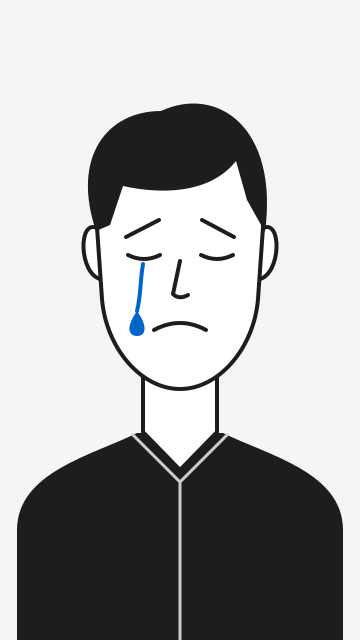
The Tears
5–8 seconds
One scene. The complete prompt.
Start here for one continuous shot. Set the video format in your chosen tool; words in a prompt do not guarantee the duration, framing or a consistent face.
Create a fictional, staged emotional performance using the consenting adult in the reference photo. Aim for an eight-second, 9:16 vertical close-up in one continuous shot. Keep the camera steady and ask for consistent facial features, clothing, lighting and background. 0–2 seconds — The Look: the subject meets the camera with a small, restrained smile. Their gaze settles and their eyes begin to glisten. 2–5 seconds — The Break: the smile slowly fades, the inner eyebrows lift slightly and moisture gathers along the lower eyelids. Keep the movement subtle. 5–8 seconds — The Tears: a single tear moves down one cheek. The subject exhales softly and holds a subdued, tearful expression through the final frame. Use natural blinking and gentle breathing. Avoid exaggerated sobbing, sudden camera movement, cuts, added people, dialogue and text within the image.
You can always select this text and copy it manually. On a phone, touch and hold the text to select it.
The story, beat by beat.
Use these individual directions when refining a shot. Separate generations may change the face or background; matching reference frames and an edit can help, but continuity is not guaranteed.
BEAT 1 · 0–2 seconds
The Look
Meet the lens. Let the emotion build quietly.
A fictional emotional performance by the consenting adult in the reference photo. In a steady vertical close-up, the subject looks toward the camera with a small, restrained smile. Their gaze settles and their eyes begin to glisten. Gentle breathing, minimal head movement, even lighting and an unchanged background. Aim for a quiet two-second opening.
Give the opening room to breathe. A steady camera makes a small expression easier to read.
BEAT 2 · 2–5 seconds
The Break
The smile fades. The eyes begin to well up.
Continue a fictional emotional performance by the consenting adult in the reference photo. In the same steady vertical close-up, their small smile slowly fades. The inner eyebrows lift slightly, the lower lip trembles and moisture gathers along the lower eyelids. Keep the movement subtle, with the same framing, clothing, lighting and background. Aim for a three-second emotional shift.
Describe one change at a time. If the model overacts, remove the lip movement and keep the fading smile.
BEAT 3 · 5–8 seconds
The Tears
A tear falls. Hold the final expression.
Finish a fictional emotional performance by the consenting adult in the reference photo. Keep the same steady vertical close-up as a single tear moves down one cheek. The subject exhales softly and holds a subdued, tearful expression. Natural blinking, no exaggerated sobbing and no sudden camera movement. Keep the clothing, lighting and background consistent. Aim for a three-second closing beat.
End on a held expression. Review the eyes and tear path for changes that look unnatural.
An AI crying face is a moment.
A storyboard gives it a beginning.
This template describes how an expression might change over time. It is an acting direction, not a record of someone’s emotions. The model may skip a beat, change the likeness or make the motion look unnatural. Review the whole clip before sharing.
Where to use this template.
Choose an external image-to-video tool. These links open the providers’ guides; Filtora does not send them a photo or prompt. Check access, costs and privacy terms before uploading there.
CapCut
In an available Image to video workflow, add your reference photo and use the prompt to describe the movement. Review the clip, then trim and export it in the editor.
CapCut image-to-video guideDreamina
Open an image-to-video workflow, add the reference image and paste the prompt as creative direction. Choose the available model and video settings before submitting.
Dreamina image-to-video guideKling
Use Image-to-Video with your authorized reference photo. Paste the subject's movements into the prompt, then choose the framing and duration your selected model supports.
Kling image-to-video guideOfficial workflow guides checked October 19, 2026. Features and settings vary by model, account and region. These prompts have not been validated against each provider; no free credits, watermark-free export or fixed generation time is promised.
Keep the performance fictional.
- Use your own adult portrait or a photo with that adult’s explicit consent for this edit.
- Do not use celebrities, strangers or minors.
- Label the finished clip as AI-generated and fictional. Do not present it as a real event.
Want to edit a still photo instead? Explore the available photo filters, which run on your device.
Crying template questions, answered.
Is the crying template free?
The storyboard and prompts on this page are free to read and copy, with no Filtora account required. Making a video happens in a separate service. Its access rules, credits, prices, watermarks and export options apply; this page does not include or promise free video generation.
Where can I make the video?
CapCut, Dreamina and Kling offer image-to-video workflows. In an available image-to-video mode, add an authorized reference photo and paste the prompt as your motion direction. Check the service's current settings and terms first. This is a general storyboard, not a native project file or a tested preset for every model.
Do I need to write my own prompt?
No. Copy the complete prompt for one continuous scene, or use a single beat when working on a shorter shot. The directions are starting points: you may need to simplify the movement or adjust the timing for your chosen model. The text stays visible if automatic copying is unavailable.
How long should the video be?
The intended edit is eight seconds in a 9:16 vertical frame: two seconds for The Look, three for The Break and three for The Tears. Set duration and aspect ratio in your chosen tool where supported. If eight seconds is unavailable, choose a suitable longer clip and trim it in an editor. Prompt timing is approximate.
What photo works best?
Use a clear, evenly lit portrait of one consenting adult, with the face visible and room around the head and shoulders. A simple background makes changes easier to spot. Use your own photo or one explicitly authorized for this fictional emotional edit. No photo upload is needed to use this page.
Why is there no Generate button here?
Filtora provides the written storyboard and copyable prompts on this page. It does not upload photos, process video requests or produce a clip. Use a separate video tool if you want to try the directions. There is no promised date for an on-site video generator.
Is a crying template the same as a crying effect?
A crying effect is a broad term for adding a tearful appearance to an image or video. An AI crying face can be a single still image. This template describes an emotional progression over time: a look, a fading smile and a tear. It is not a live camera filter.
Can I use this with anyone's photo?
Use only your own adult portrait or an adult's photo with their explicit consent for this edit. Do not use celebrities, strangers or minors. Label the finished clip as AI-generated and fictional, and follow the external tool's rules. Do not present a staged crying scene as evidence of a person's real feelings or experiences.